
Dump viewer
dump() and dd() are the fastest way to inspect a value in PHP, but the output gets lost the moment it ships through Blade, a queue worker, or an XHR response. lerd's dump viewer captures every dump() / dd() call and streams it to the dashboard, the System sidebar, the TUI, and the MCP tools, so the value is always one click away even when the response itself isn't readable.
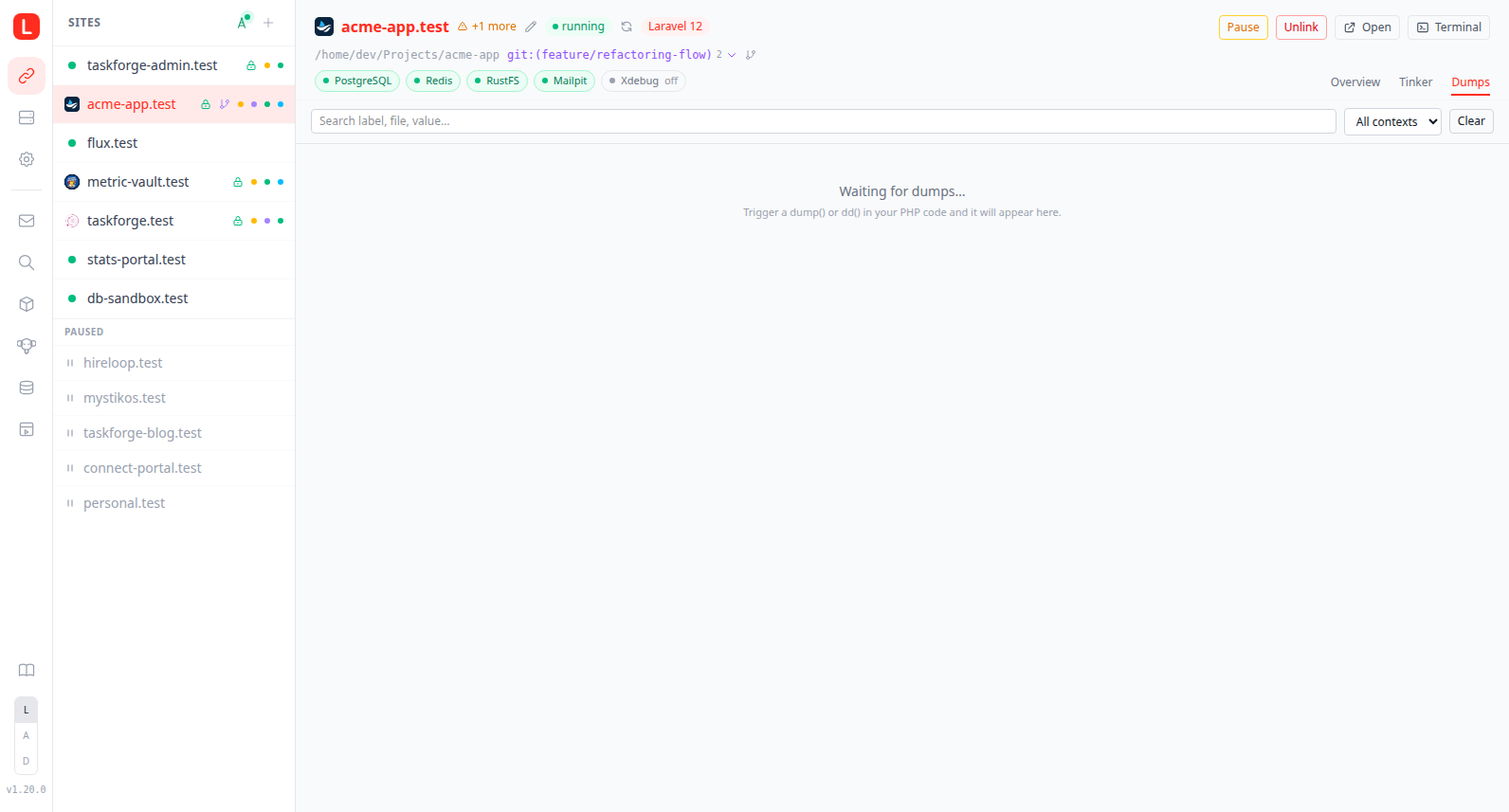
The feature is off by default. Enable it with lerd dump on, the antenna toggle in the Sites sidebar, the Enable button on a per-site Dumps tab, the Debug bridge item in the system tray menu, or dumps_toggle via MCP. All of these flip the same global flag, and that one flag arms the entire Debug window: dump() / dd() capture plus the lerd_devtools collector (queries, mail, views, events, jobs, outgoing HTTP).
How it works
The bridge is always mounted into every PHP-FPM container regardless of the toggle state:
/usr/local/etc/lerd/dump-bridge.php: a small PHP file that, when active, definesdump()anddd()(taking precedence over Symfony's stock helpers viafunction_existsguards) and ships each cloned variable as newline-delimited JSON to lerd-ui./usr/local/etc/php/conf.d/97-lerd-dump.ini: setsauto_prepend_file=...dump-bridge.phpso the bridge is loaded before every request./usr/local/etc/lerd/enabled.flag: runtime sentinel. The bridge's first line isfile_exists('/usr/local/etc/lerd/enabled.flag') || return;. Present file = capture is on, absent file = the bridge is a fast no-op (one stat call per request, no functions overridden).
Toggling the bridge writes or removes that sentinel file. No FPM container restart, no worker cascade, no quadlet rewrite. The bridge file and its conf.d ini stay mounted whether or not captures are active.
The receiver's transport depends on the host:
- Linux: a per-user Unix socket bound by
lerd-uiat~/.local/share/lerd/run/lerd-dumps.sock. PHP-FPM containers reach it via the existing%h:%hbind mount. No host TCP listener, no LAN exposure. - macOS: TCP loopback
127.0.0.1:9913. Unix sockets don't traverse the podman-machine virtio-fs boundary as functional sockets, so FPM senders inside the VM reachlerd-uion the host viahost.containers.internal:9913(gvproxy forwards that upstream).
lerd-ui keeps a 500-event in-memory ring as the receiver buffer and replays it to each newly-connecting client; the open dashboard then accumulates the full session on top of that replay, so events stay visible until you refresh the page rather than scrolling out as new traffic arrives. Because that buffer grows well past what any browser wants to paint at once, every Debug lens renders the newest 100 rows and loads the next 100 as you reach the end of the list, automatically on scroll or via the button at the bottom. Group headers keep reporting the request's real size even when its rows are still partly windowed, and changing a filter or search starts the window over. Arrivals are batched a frame at a time rather than applied one by one, so a burst of traffic regroups the lens once per repaint instead of once per event, which keeps the dashboard responsive while a load test or a page full of queries is streaming in. Events fan out to four surfaces:
- Web dashboard: three places:
Each site detail pane has a Dumps tab next to Overview and Tinker, pre-filtered to that site.
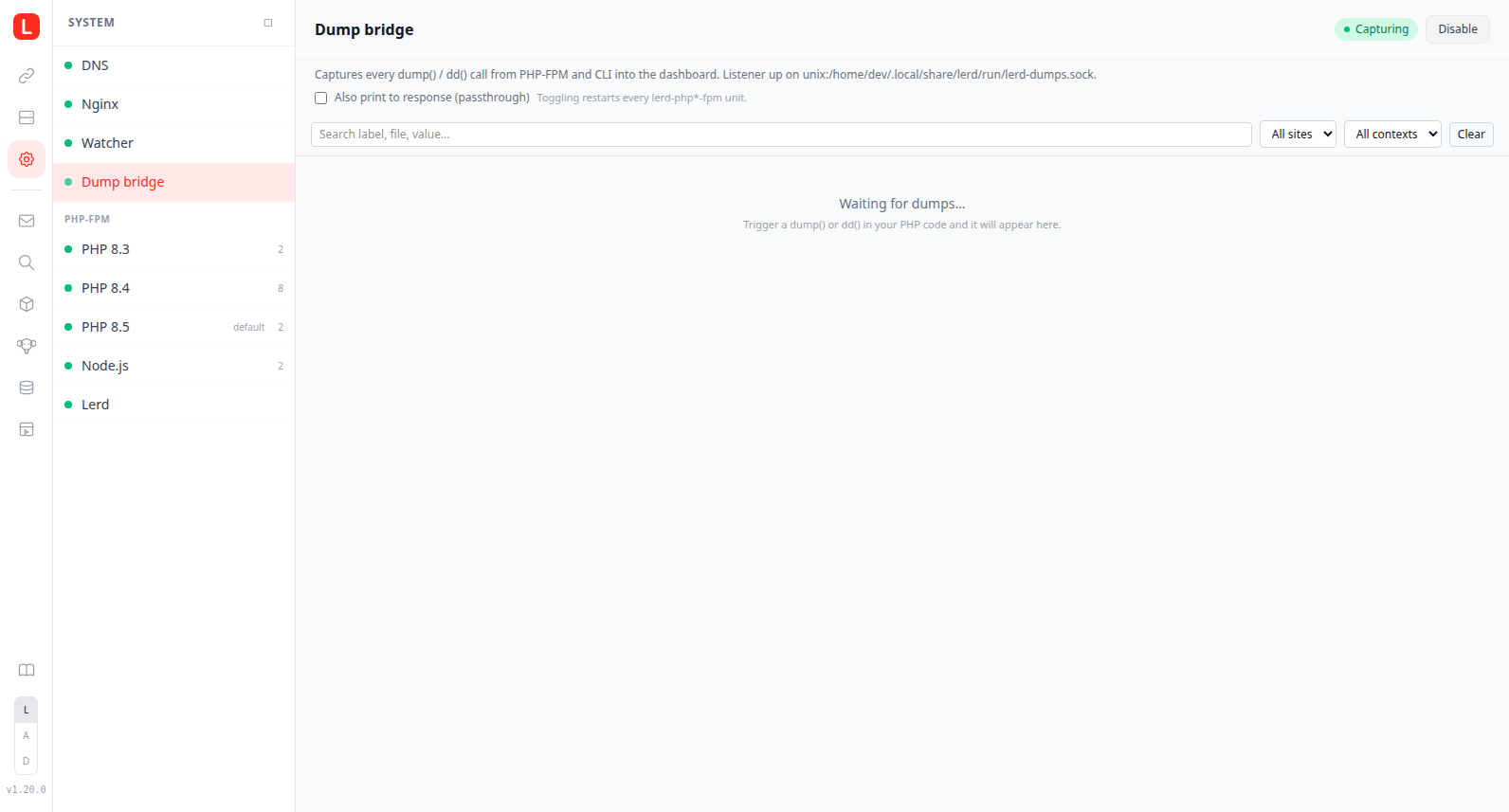
System > Debug bridge opens a global view with the listener address, the buffered count, an Enable/Disable button, and every dump across every project. The site name that leads each group header links to that site's own Debug tab, so an event you spot in the global view takes you straight to where it came from; a name that matches no linked site stays plain text.
The Sites list header has a small antenna toggle. Pulsing emerald dot when capturing, grey when off.
Each dump entry carries the
file:lineit came from, shortened to its last three segments. Click it to open the file in your editor, or use the small copy button beside it to take the full path.The System Health card on the dashboard shows the bridge state alongside DNS / nginx / watcher.
- TUI: press D in
lerd tuito swap the detail pane for the live dump feed (global). - CLI:
lerd dump tailstreams events to your terminal, with--siteand--ctxfilters. - MCP:
dumps_recent,dumps_status,dumps_clear,dumps_togglefor AI-agent access.
Wire format
Each event is one line of JSON. The shape is stable from v1 of the protocol:
{
  "v": 1,
  "id": "...ULID...",
  "ts": "2026-05-10T12:34:56.123Z",
  "kind": "dump",
  "ctx": {
    "type": "fpm",
    "site": "acme",
    "branch": "feat-a",
    "domain": "acme.test",
    "request": "GET /users/42",
    "pid": 1234
  },
  "src": { "file": "/home/u/Code/acme/app/Http/Controllers/X.php", "line": 84 },
  "label": "user",
  "text": "App\\Models\\User {#42 ...}"
}
src is the first frame that is not code the project installed, so it points at the line a developer wrote rather than the layer that happened to run it. Anything under a directory Composer installed a package into is skipped, read from the project's own vendor/composer/installed.php, which covers a framework whose core lives outside vendor/: Drupal core installs at web/core, so without that the source of every query was Drupal's PDO wrapper and never the module doing the querying. A request with no project code in the stack at all, a page served entirely by framework internals, keeps the first frame it found, since there is nothing better to name.
ctx.branch is set when the dump came from a worktree, so a request to feat-a.acme.test carries branch: "feat-a" alongside the parent site: "acme". It is plumbed end-to-end via the LERD_SITE and LERD_BRANCH fastcgi params on the worktree vhost. Because every worktree shares the parent's site, the branch is what separates a worktree's events from the parent's: request grouping keys on it (a worktree request never merges into the parent's group), every group is labelled [site@branch] in the dashboard and the TUI, the CLI tail prints site@branch in each event header, and the search box matches the branch name. To isolate a single worktree, filter by branch: lerd dump tail --branch feat-a, the branch query param on /api/dumps, or the branch argument to the dumps_recent MCP tool. Parent-site requests leave the field empty and render as plain [site]. Inside a site's own Debug tab the site name is dropped and only [branch] is shown, unlinked, since you are already on that site.
ctx.test is set to true on every event captured inside a PHPUnit or Pest run, and omitted otherwise. The signal is PHPUnit's own PHPUNIT_COMPOSER_INSTALL bootstrap constant, so it holds for any framework and any test runner built on PHPUnit, and it is a separate field rather than a third ctx.type because a feature test that simulates a request is still meaningfully a web or CLI context. A suite fires hundreds of requests and would push every genuine dump out of the buffer, so the Debug lenses hide tagged events by default: they are tagged, not dropped, because dumping inside a failing test is exactly when dd() earns its keep. The Show test runs checkbox in each lens toolbar brings them back, and while they are hidden it reports how many are being held back, so a dump that never appears has a visible explanation rather than a silent one. The choice is remembered across visits.
ctx.command is the CLI counterpart of ctx.request: the invocation an event came from, the script basename plus its arguments (artisan queue:work --queue=high), stamped on every cli-SAPI process. It names the run, not its payload: an argument value longer than 32 characters is elided to its flag (artisan tinker --execute=...), and the whole line is capped at 120 characters, since the exact code and query origin already ride the event's own src and data. A web event carries request and no command, a console event the reverse, so anything reporting where an event happened has a name to use whichever side it came from. ctx.worker, when the opted-in worker capture sets it, is the more specific label and still wins.
ctx.site is set on terminal runs too: lerd php (and everything shimmed through it, artisan included) passes LERD_SITE into the container, so an event from an artisan command carries the registered site name rather than the directory it happened to run in, and a run inside a worktree checkout reports the parent site.
Reserved fields: tree (structured cloner output, populated in a future revision) and trunc (set to true when the cloner output exceeded the per-event cap).
CLI
| Command | What it does |
|---|---|
lerd dump on | Touch the sentinel; the next PHP request captures into the dashboard. |
lerd dump off | Remove the sentinel; subsequent requests are no-ops. |
lerd dump status | Print enabled/disabled, listener address, buffered count. |
lerd dump tail [--site X] [--branch Y] [--ctx fpm|cli] | Stream events to the terminal until Ctrl-C. |
lerd dump clear | Clear the in-memory ring without disabling the bridge. |
None of these commands restart any FPM container or worker.
Caveats
- The bridge intercepts
dump()/dd(); the rest of the Debug window comes from the engine-level collector. Database queries, outgoing mail, rendered views, dispatched events, queued jobs as they run, and outgoing HTTP requests are all captured by thelerd_devtoolsextension and shown as sibling tabs in the same Debug view, see the Query viewer for the full set, the framework-agnostic seams, and the N+1 / slow-query analysis. The bridge and the collector share one enable flag, so a single toggle arms the whole window. - Response output is suppressed by default. While the bridge is on,
dump()anddd()ship to the dashboard only, the HTTP response stays clean. If you'd rather keep the originalsf-dumpoutput in the response too (useful as a fallback whenlerd-uiisn't running), flip the "Also print to response (passthrough)" toggle on System > Debug bridge, or setdumps.passthrough: truein~/.config/lerd/config.yaml. Passthrough is read at PHP-FPM startup, so toggling it via the UI restarts everylerd-php*-fpmunit; editing the config file by hand requires a manual restart for the change to take effect. Tinker invocations always run with passthrough on regardless of this setting, otherwise the REPL would print nothing when a bare expression likeUser::count()gets auto-wrapped indump(). - VarCloner caps. Defaults are
setMaxItems(2500)andsetMaxString(4096). Override viaLERD_DUMP_MAX_ITEMSin the site's.env. - Loopback only. On Linux the receiver binds a per-user Unix socket under
~/.local/share/lerd/run/lerd-dumps.sock(no host TCP listener). On macOS it binds127.0.0.1:9913, reachable from FPM inside podman-machine via gvproxy'shost.containers.internal:9913mapping, not from the LAN. - No persistence. Buffer is in-memory only and resets when
lerd-uirestarts. - First upgrade restarts FPM once. Existing installs that update to v1.20 will see their FPM
.containerfiles rewritten on the nextlerd install/lerd startto add the always-mounted bridge volumes. Every subsequent toggle is restart-free.